Office screen
Put it on the TV.
The wall is the view you leave on a screen in the office. It is included while you are signed in, on every plan.
What is a wall view?
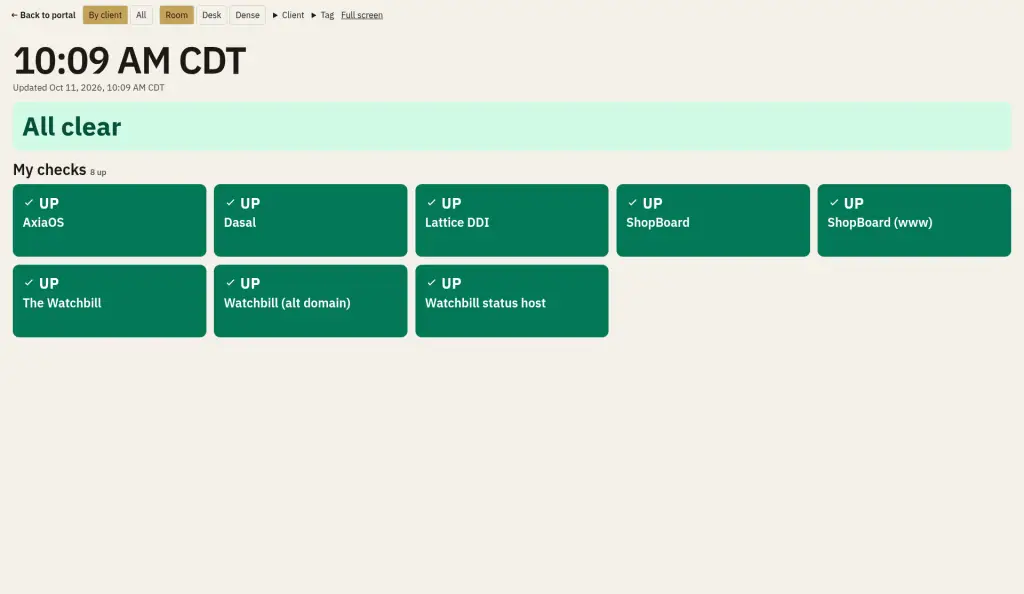
The wall shows every check as a tile, grouped by client, or in one grid. The worst group sorts to the top, and the worst tile sorts first inside the group. It says All clear when everything is up. Room, Desk, and Dense change how large the tiles are. The page refreshes every 60 seconds. The signed-in wall is on every plan.
Can it run on a TV without a login?
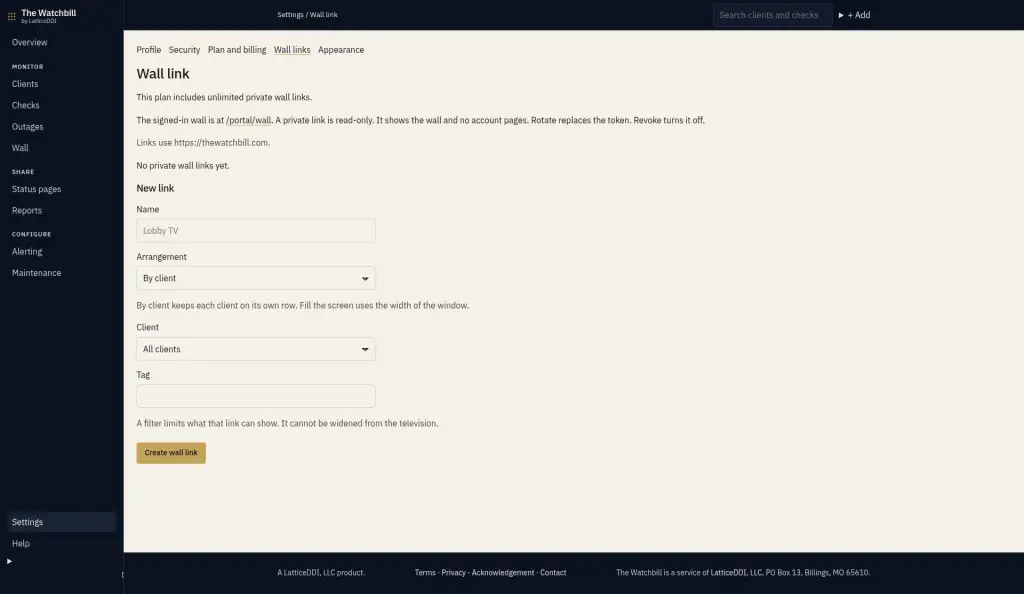
A private wall link opens on a TV without signing in. It is read-only, and you can rotate or revoke it any time. On Pro and Business the link can be limited to one client or tag, and that limit cannot be widened from the television. Starter includes 1 link and does not include those filters.
Which plans include it?
Every plan includes the signed-in wall. Private TV links, and whether a link can be limited to one client or tag, follow the plan table.
| Plan | Signed-in wall | Private TV links | Client or tag on a link |
|---|---|---|---|
| Free | Yes | 0 | No link |
| Starter | Yes | 1 | No |
| Pro | Yes | 10 | Yes |
| Business | Yes | Unlimited | Yes |
Pricing lists the same caps on the plan cards.