The Watchbill

Know a client site is down before they call.

Email when a site goes down. On Pro and Business, the alert goes to the email address your PSA or help desk turns into tickets. Free for 5 checks. From $9 a month.

Each site is checked every minute by default, and a check can be set to 5 minutes, 15 minutes, 30 minutes, or 1 hour.

Start free See pricing

Also works for in-house IT and web agencies.

What it does

*Needs Pro or Business.

Organized the way an MSP works

Each client has its own checks, alert address, status page, and report. A blank check address uses the client's. On Pro and Business, a client can have its own ticket mailbox, Teams channel, Slack webhook, or PagerDuty service.

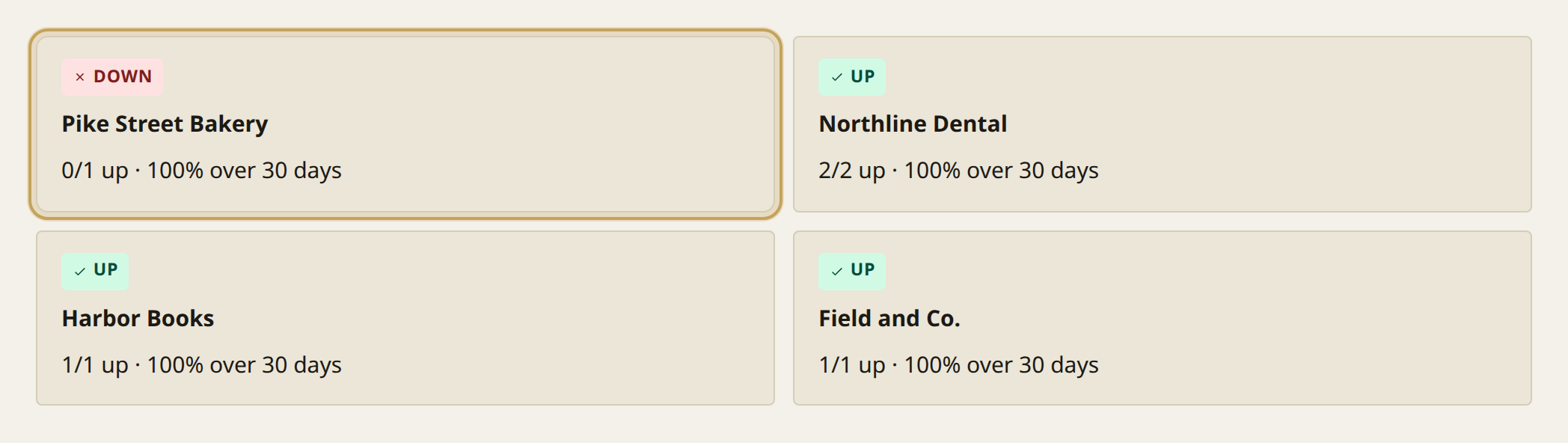
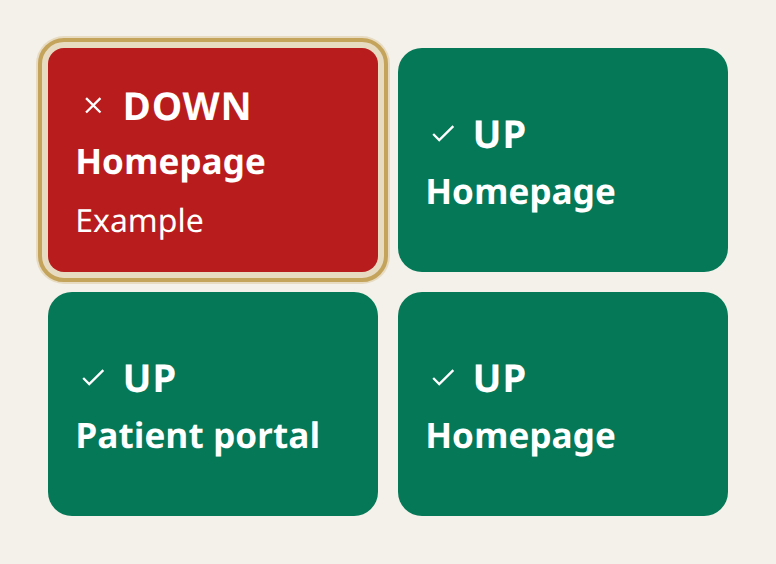
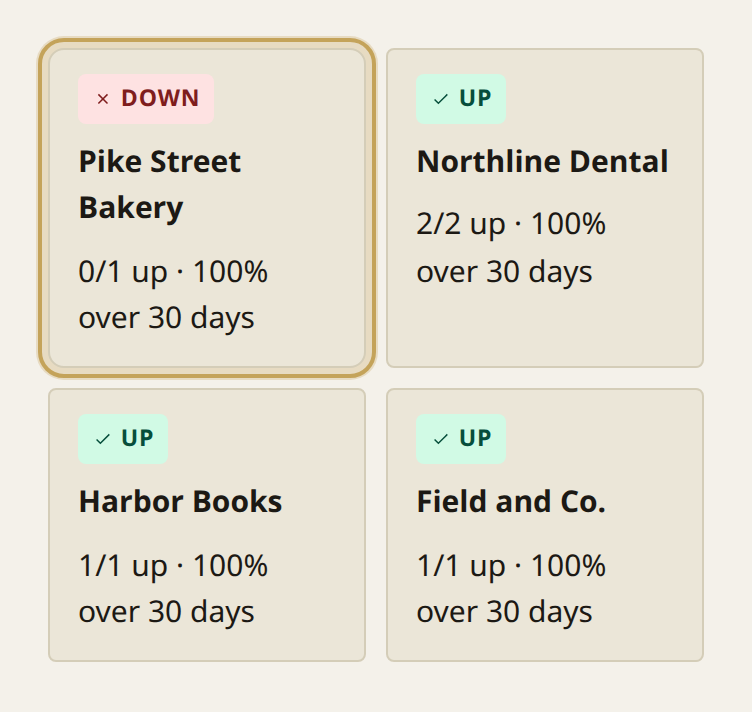
The overview client list. Each example client has a status. Pike Street Bakery is down, and the others are up.The overview client list. Each example client has a status. Pike Street Bakery is down, and the others are up. Full size.
The overview client list. Each example client has a status. Pike Street Bakery is down, and the others are up.The overview client list. Each example client has a status. Pike Street Bakery is down, and the others are up.

Example clients, each with a status.

Close
Example clients, each with a status.

What it is

The Watchbill checks each client website over HTTPS. A new site sends one test email. After that, mail goes out when the site goes down or comes back up. You choose the address and can add a short note. Each client can have a status page. It stays private until you publish it. The link does not use the client's name.

A check is one website. Email is on every plan. Pro and Business can also send ticket email, a webhook, a Microsoft Teams message, a Slack message, or a PagerDuty alert. The Watchbill is a service of LatticeDDI, LLC and runs on Cloudflare.

Your RMM watches devices. The Watchbill watches the client's website from outside, from US East and US West, and gives the client a page.

Email on every plan You choose the address. A short note is optional.

A page you publish The status page stays private until you share it.

How it works

  1. Add a client site. A check is one website, such as a client's homepage. Each check has its own monitor.
  2. 90 days of history. The Watchbill keeps 90 days of results. You can see them in your account and on a published status page. You can export the check list and a report as CSV. The same check tracks when the domain expires and whether the certificate is trusted. That does not use extra checks. It shows the certificate's trust and, when it can read it, the expiry date. A check can email before those dates. That email is off until the check turns it on.
  3. An email when something changes. A new site sends one test email while The Watchbill confirms its state. After that, mail goes out only when the site goes down or comes back up. A blank check address uses the client's address. A blank client uses the account address. You can add a short note. Email is included on every plan, including Free.
  4. A status page, if you want the client to see it. The page stays private until you publish it. It shows the current state, an open outage and when it started, 90-day uptime, and Maintenance during a window. You can post an update: Investigating, Identified, Monitoring, or Resolved. Each update has a note and a time, and the page keeps that history. It reloads every 60 seconds.

Two regions agree before anyone gets paged.

Every check runs from US East and US West. An outage opens only when both regions see it down. When they agree, we check once more about 30 seconds later and then alert. If one is down and the other is up, we wait about two minutes. One region's network problem doesn't page you or open a ticket.

Cloudflare picks the data center in each region. Each check shows the city it ran from.

HomepageUp

US East: up, 71 ms

US West: up, 73 ms

Cloudflare picks the city.

US East and US West. The status stays up only when both agree.

Patch night without the noise

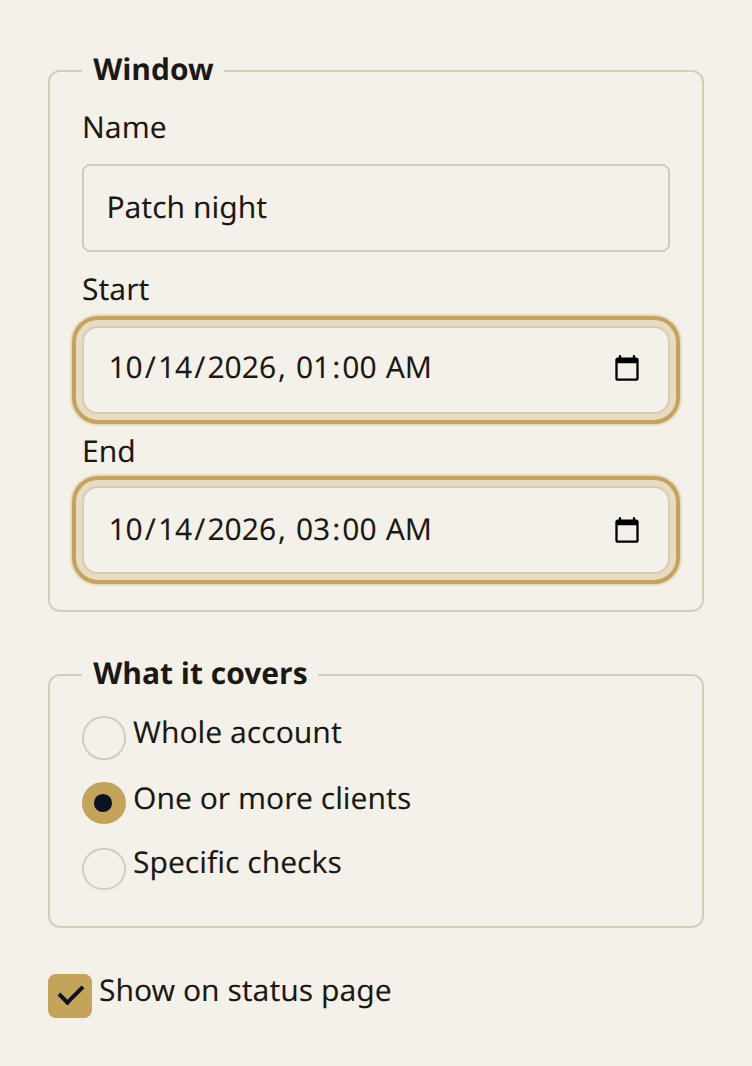
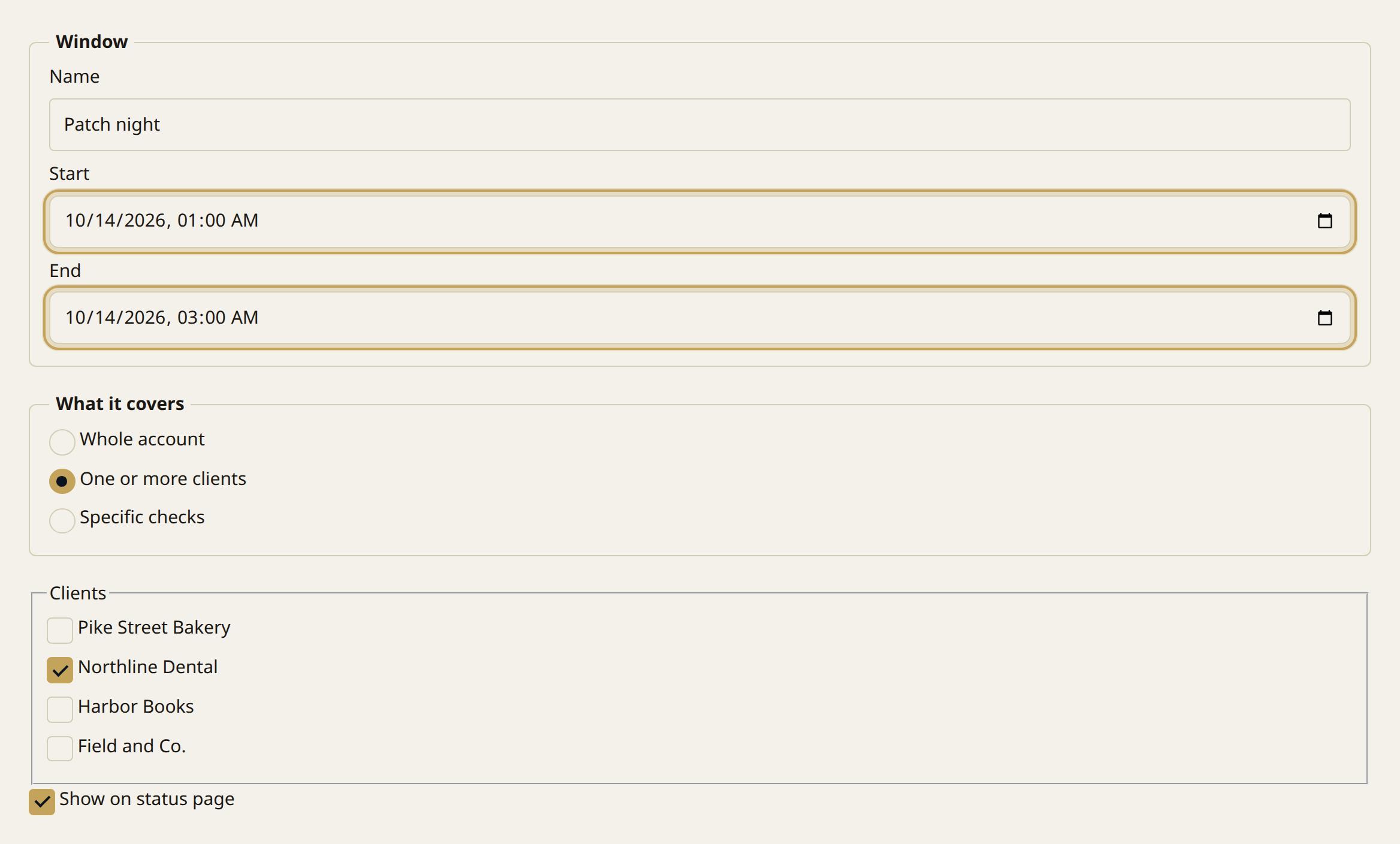
Set a window for the account, a client, or specific checks. Checks keep running. Alerts stay quiet. Those minutes stay out of uptime unless a report includes them. Every plan, including Free.

The maintenance window form. A name, a start, an end, and which clients the window covers.The maintenance window form. A name, a start, an end, and which clients the window covers. Full size.
The maintenance window form. A name, a start, an end, and which clients the window covers.The maintenance window form. A name, a start, an end, and which clients the window covers.

A name, a start, an end, and which clients the window covers.

Close
A name, a start, an end, and which clients the window covers.

A monthly report the client can open

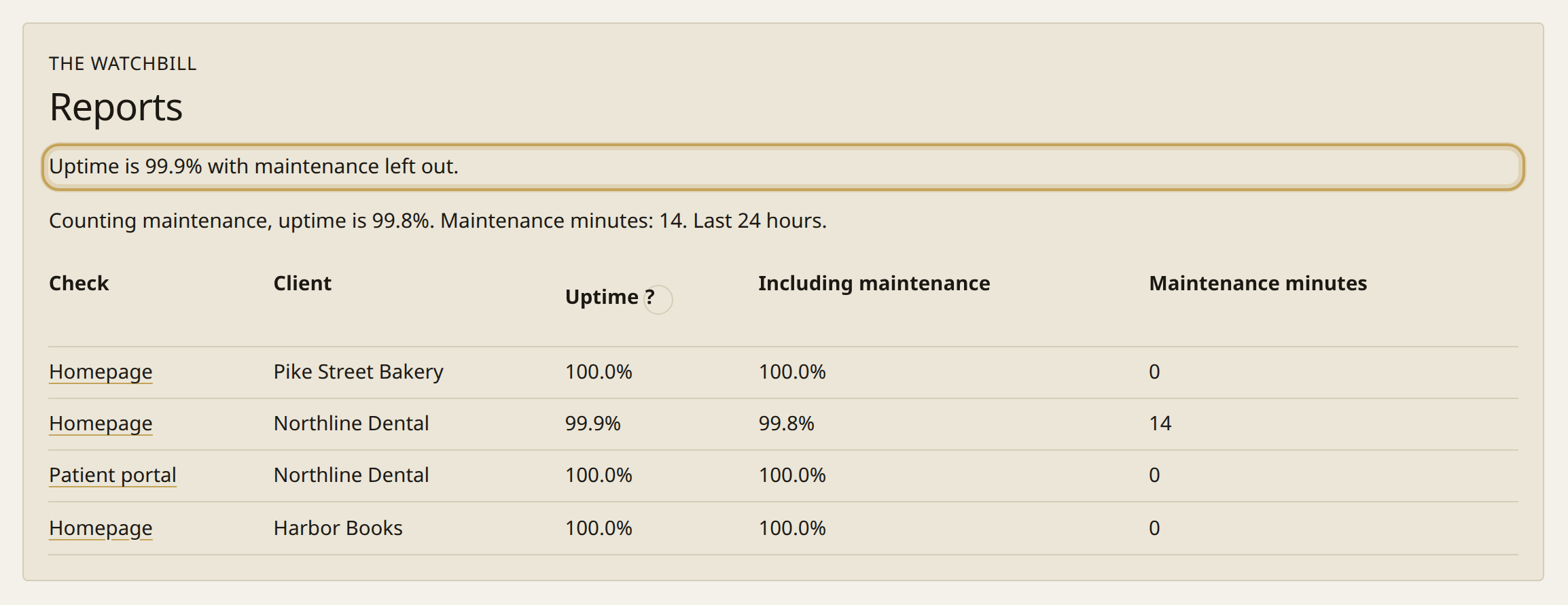
The report is an email with an HTML file. The client can open it without a login. Maintenance can be left out or counted. Free sends one monthly report to you. Starter adds weekly. Pro and Business can send it to a client.

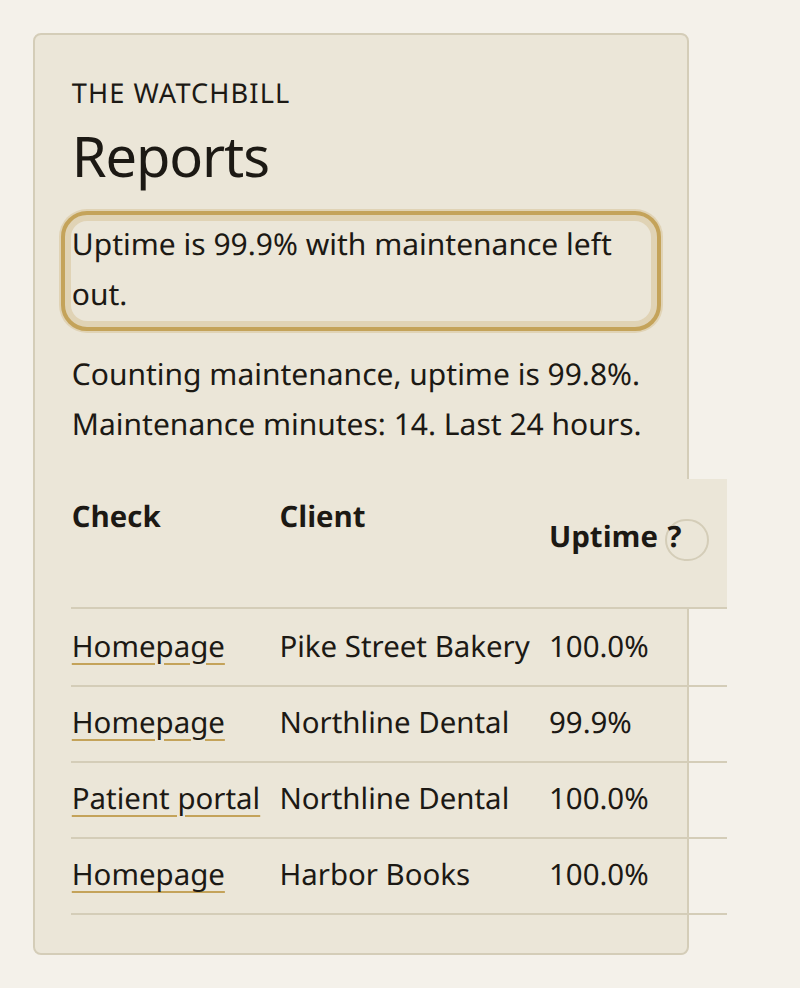
An uptime report. The summary figures are at the top, then the first check rows.An uptime report. The summary figures are at the top, then the first check rows. Full size.
An uptime report. The summary figures are at the top, then the first check rows.An uptime report. The summary figures are at the top, then the first check rows.

The summary figures are at the top, then the first check rows.

Close
The summary figures are at the top, then the first check rows.

Pricing

  • Free $0 for 5 checks
  • Starter $9 a month or $90 a year for 50 checks
  • Pro $15 a month or $150 a year for 100 checks
  • Business $29 a month or $290 a year for 250 checks

Full pricing

Why MSPs switch

Price at 100 checks, a status page per client, and a report you can send. On Pro and Business, the alert goes to the email address your PSA turns into tickets. Vendor prices are from 10 Oct 2026.

100 checks

The Watchbill
Pro is $15.00 a month for 100 checks.
Pingdom
Not stated for 100 checks. The page lists $18 a month for 10 uptime checks and $40 a month for 25.
UptimeRobot
Team starts at €41 a month (€35 on annual) for 100 monitors.
Better Stack
Not stated as one price for 100 checks. A responder is $34 a month or $29 on the yearly column. Additional 50 monitors are $25 a month or $21 on yearly.

Status page

The Watchbill
Yes. Each client has one page. It stays private until you publish it.
Pingdom
The page says public status pages. It does not say one page per client.
UptimeRobot
Team includes 100 status pages. Free is 1, with no customization.
Better Stack
1 status page is included. Another public page is $15 a month or $12 on yearly.

PSA

The Watchbill
Ticket email on Pro and Business for ConnectWise, Autotask, HaloPSA, Syncro, ServiceNow, ServiceDesk Plus, Jira Service Management, Freshservice, Freshdesk, Zendesk, Zoho Desk, SysAid, and Kaseya BMS. No REST connector.
Pingdom
Not stated.
UptimeRobot
Not stated.
Better Stack
Not stated.

Reports

The Watchbill
Every plan, including Free and Starter. Pro and Business can email it to a client.
Pingdom
Public status pages and reports. Pingdom pricing page, 14 Oct 2026.
UptimeRobot
Monthly email reports. Free: the first 3 months. Paid plans: included. UptimeRobot pricing page, 14 Oct 2026.
Better Stack
Not stated.
Monitor100 checksStatus pagePSAReports
The WatchbillPro is $15.00 a month for 100 checks.Yes. Each client has one page. It stays private until you publish it.Ticket email on Pro and Business for ConnectWise, Autotask, HaloPSA, Syncro, ServiceNow, ServiceDesk Plus, Jira Service Management, Freshservice, Freshdesk, Zendesk, Zoho Desk, SysAid, and Kaseya BMS. No REST connector.Every plan, including Free and Starter. Pro and Business can email it to a client.
PingdomNot stated for 100 checks. The page lists $18 a month for 10 uptime checks and $40 a month for 25.The page says public status pages. It does not say one page per client.Not stated.Public status pages and reports. Pingdom pricing page, 14 Oct 2026.
UptimeRobotTeam starts at €41 a month (€35 on annual) for 100 monitors.Team includes 100 status pages. Free is 1, with no customization.Not stated.Monthly email reports. Free: the first 3 months. Paid plans: included. UptimeRobot pricing page, 14 Oct 2026.
Better StackNot stated as one price for 100 checks. A responder is $34 a month or $29 on the yearly column. Additional 50 monitors are $25 a month or $21 on yearly.1 status page is included. Another public page is $15 a month or $12 on yearly.Not stated.Not stated.

How does The Watchbill compare with Pingdom?

I like how simple The Watchbill can be to set up for basic monitoring, but it also allows for more in-depth checks. I no longer have to manually check websites, and I trust The Watchbill to alert me to issues.

Justin M., Owner, Beken IT Solutions

Put it on the TV.

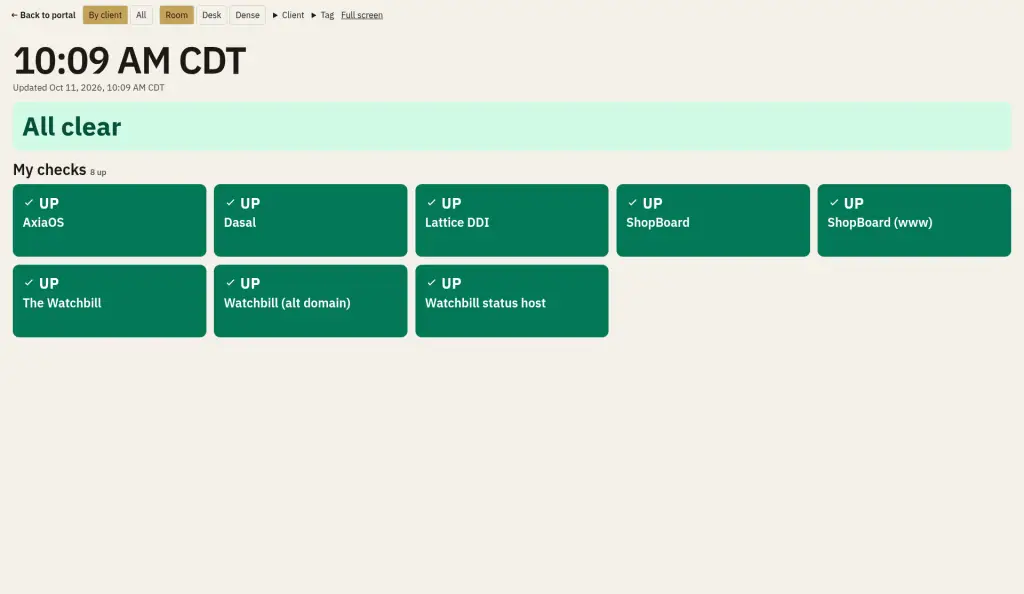
The wall shows every check as a tile, grouped by client, with the worst at the top. It refreshes every minute and says All clear when everything is up.

A private link opens on a TV with no sign-in. It is read-only. It can be limited to one client or tag. Share on the signed-in wall creates that link. Rotate replaces it. Revoke turns it off. Delete removes it.

How the wall works

A cluster of wall tiles for example clients. Pike Street Bakery is down and marked Example. The other tiles are up.A cluster of wall tiles for example clients. Pike Street Bakery is down and marked Example. The other tiles are up. Full size.
A cluster of wall tiles for example clients. Pike Street Bakery is down and marked Example. The other tiles are up.A cluster of wall tiles for example clients. Pike Street Bakery is down and marked Example. The other tiles are up.

Pike Street Bakery is down and marked Example. The other tiles are up.

Close
Pike Street Bakery is down and marked Example. The other tiles are up.

Who it is for

MSPs. Every client's sites on one board. For MSPs

IT teams. Company sites, and a page staff can open. For IT teams

Agencies and web developers. Sites you handed off, so you hear before they call. For agencies

Use The Watchbill as one of your alarms. A check can miss an outage. The acknowledgement says how.

Where alerts go

Every plan includes the minute check, 90 days of history, domain and certificate checks, and email. Pro and Business can add the destinations below.

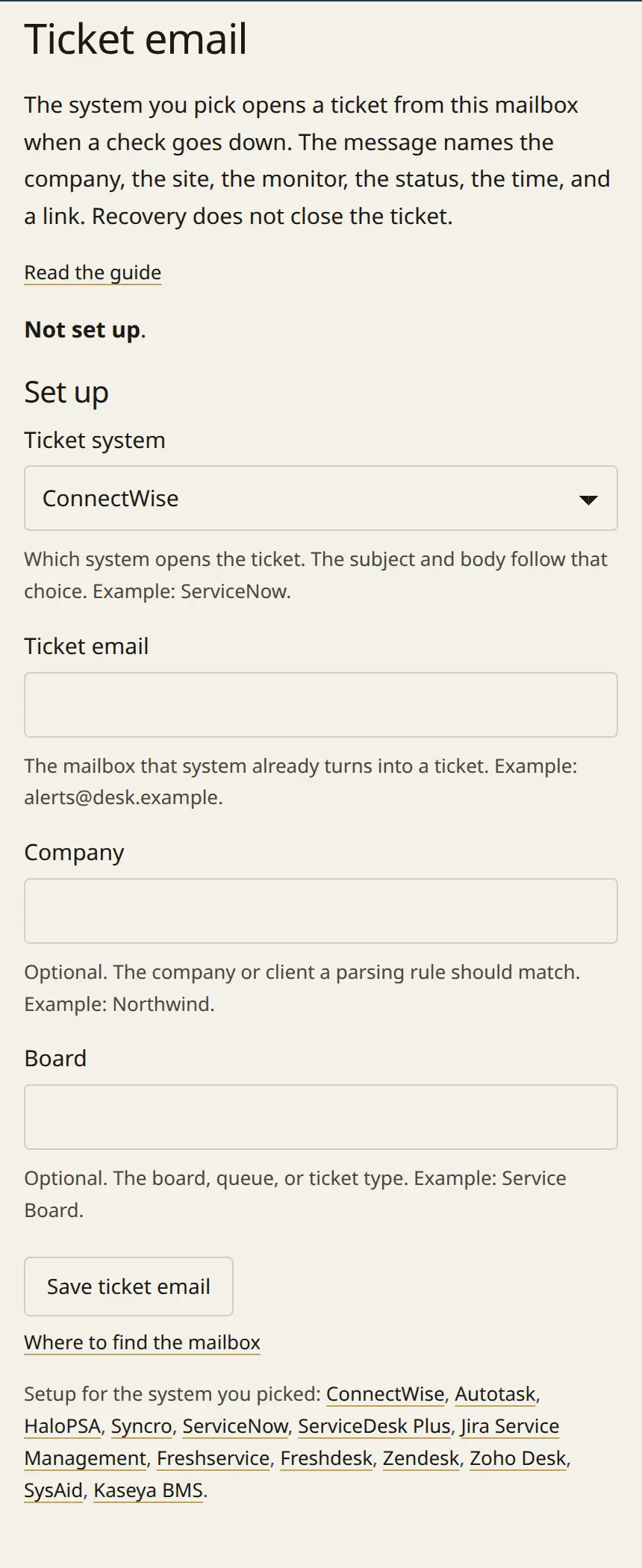
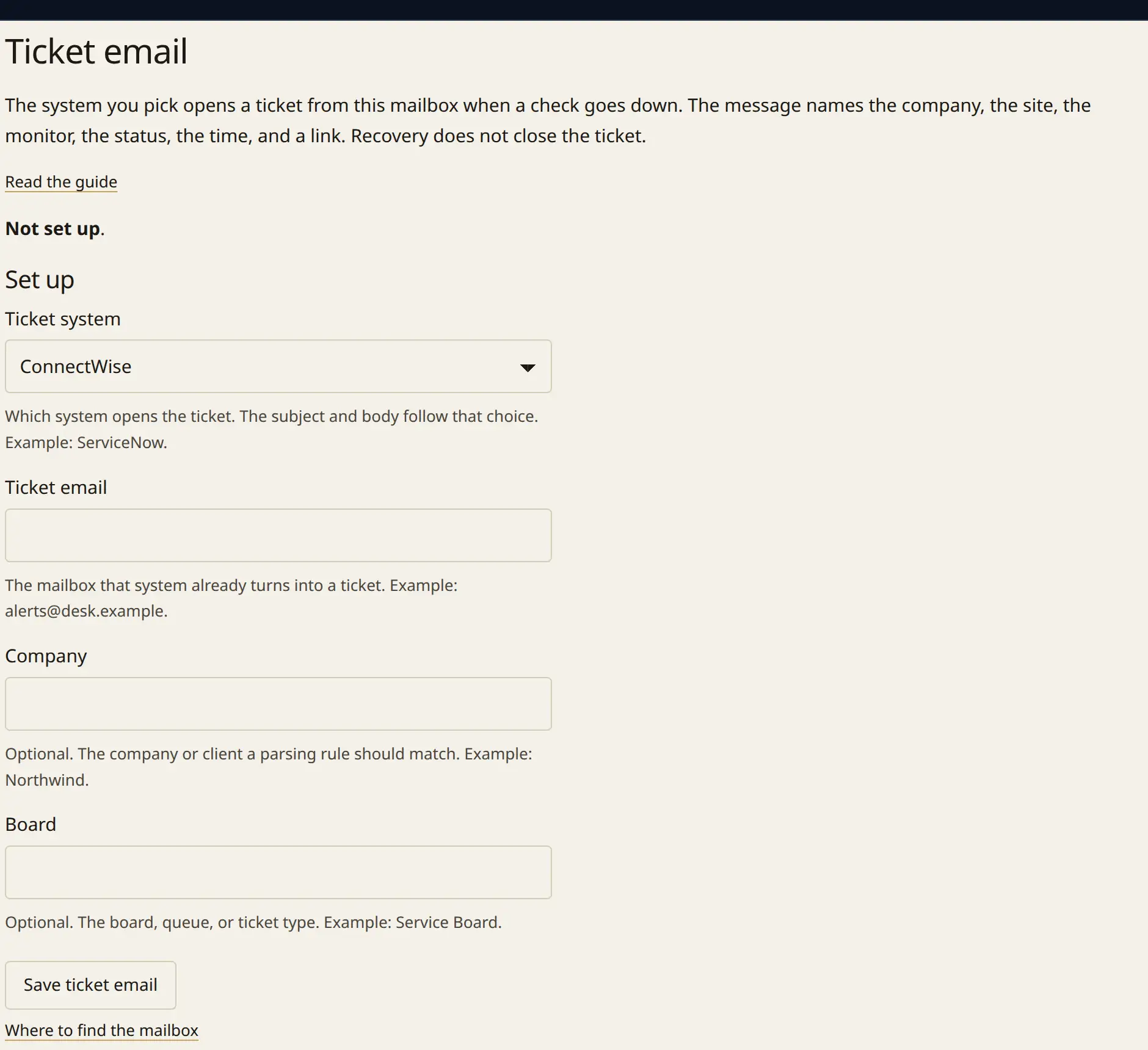
The ticket email form. A ticket system, the mailbox, and optional company and board fields.The ticket email form. A ticket system, the mailbox, and optional company and board fields. Full size.
The ticket email form. A ticket system, the mailbox, and optional company and board fields.The ticket email form. A ticket system, the mailbox, and optional company and board fields.

Ticket email on Pro and Business. Choose the ticket system and the mailbox that opens tickets.

Close
Ticket email on Pro and Business. Choose the ticket system and the mailbox that opens tickets.

A signed webhook. The Watchbill sends one HTTPS request when a site goes down and another when it recovers. The body is signed, so the receiver can check it came from The Watchbill.

Ticket email. Mail goes to the address ConnectWise, Autotask, HaloPSA, Syncro, ServiceNow, ServiceDesk Plus, Jira Service Management, Freshservice, Freshdesk, Zendesk, Zoho Desk, SysAid, or Kaseya BMS already turns into a ticket. The message names the company, the site, the monitor, the status, the time, and a link. It does not close the ticket.

Microsoft Teams. A message posts in the channel, through a Teams Workflows URL.

Slack. A message posts in the channel, through an incoming webhook on hooks.slack.com.

PagerDuty. The down alert and the recovery share one incident. Recovery resolves it.

Up to three alert addresses. On Pro and Business, the same up and down emails can go to you, a technician, and the client.

Your name and logo. On Pro and Business, a published page can show your name and logo. It still says it is operated by LatticeDDI, LLC. On Business, the Monitoring by The Watchbill line is left off. The address stays on thewatchbill.com.

On Pro and Business, the outage log is a CSV of confirmed minutes for a client invoice.

RMM alerts

Off until you turn it on for a client. It won't close tickets or run scripts.

Free and Starter send email only. Destinations send when a site goes down and when it recovers.
Questions

What counts as a check?

A check is one website or URL. Starter includes 50, Pro includes 100, and Business includes 250. On Pro and Business you can add blocks of 100 checks at $8.00 a month or $96.00 a year, on the same bill.

Who receives the email?

A check can set one alert address. A blank check uses the client's address. A blank client uses the account address. You can add a short note. Pro and Business can add two more addresses, and a reply-to. Mail is from alerts@thewatchbill.com.

Can I leave?

Export your checks and reports as CSV any time. Nothing is deleted when you go over your plan.

Can I import from my current monitor?

Every plan can upload a CSV. You see a preview before anything is added. Headers match The Watchbill, Pingdom, UptimeRobot, Better Stack, StatusCake, or Site24x7.

What happens if I go over my checks?

Checks over the plan limit are paused. They are not deleted. Raising the plan, or adding a block on Pro or Business, turns them back on.

When the site goes down, the ticket* opens.

Ticket alerts need Pro or Business. Free and Starter alert by email.

See plans